The best hardware wallets in Canada: Ledger and Trezor compared
Updated November 2026. Checked against the regulators' registers and each platform's own pages.
Who pays us: Neither Ledger nor Trezor pays us. We have no affiliate deals in place yet, so these links earn us nothing. How we make money
 Ledger site header, cropped to logo and menu
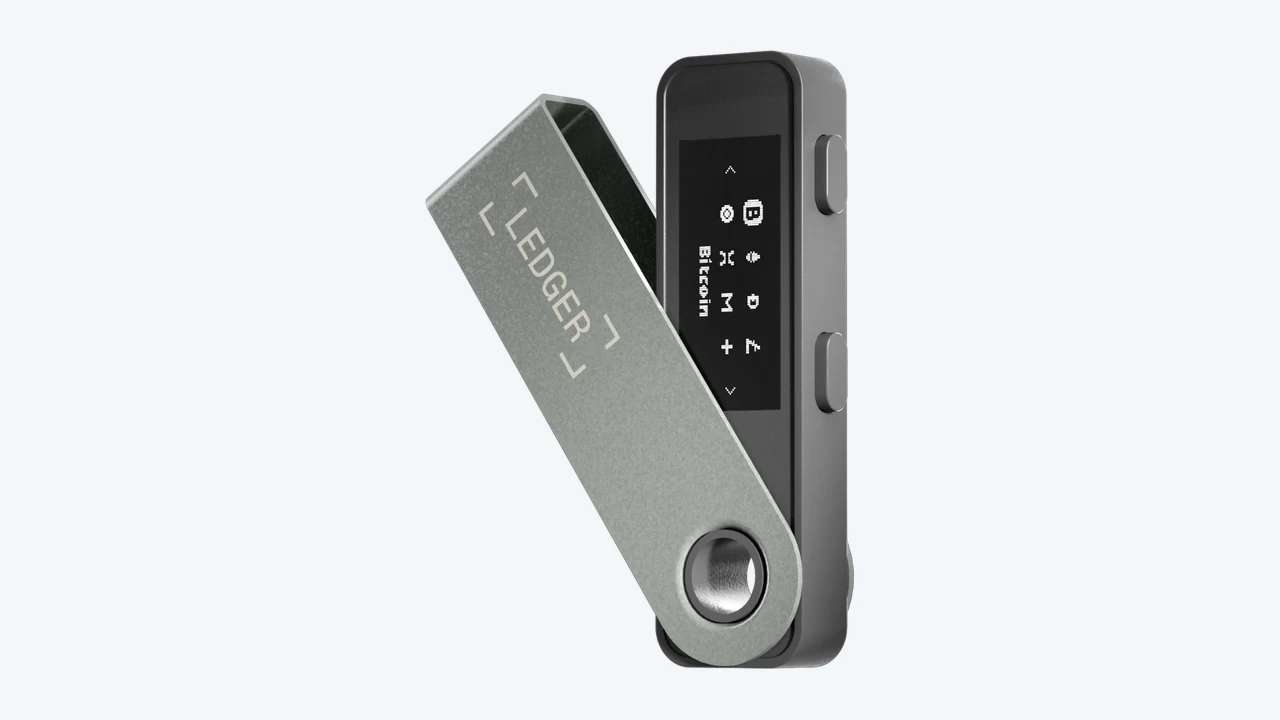

Ledger Nano S Plus
Best for the lowest-cost Ledger, kept at home as a backup
- Price
- CA$99
- Screen
- 1.1-inch monochrome
- Connects by
- USB
 Trezor site header, cropped to logo and menu
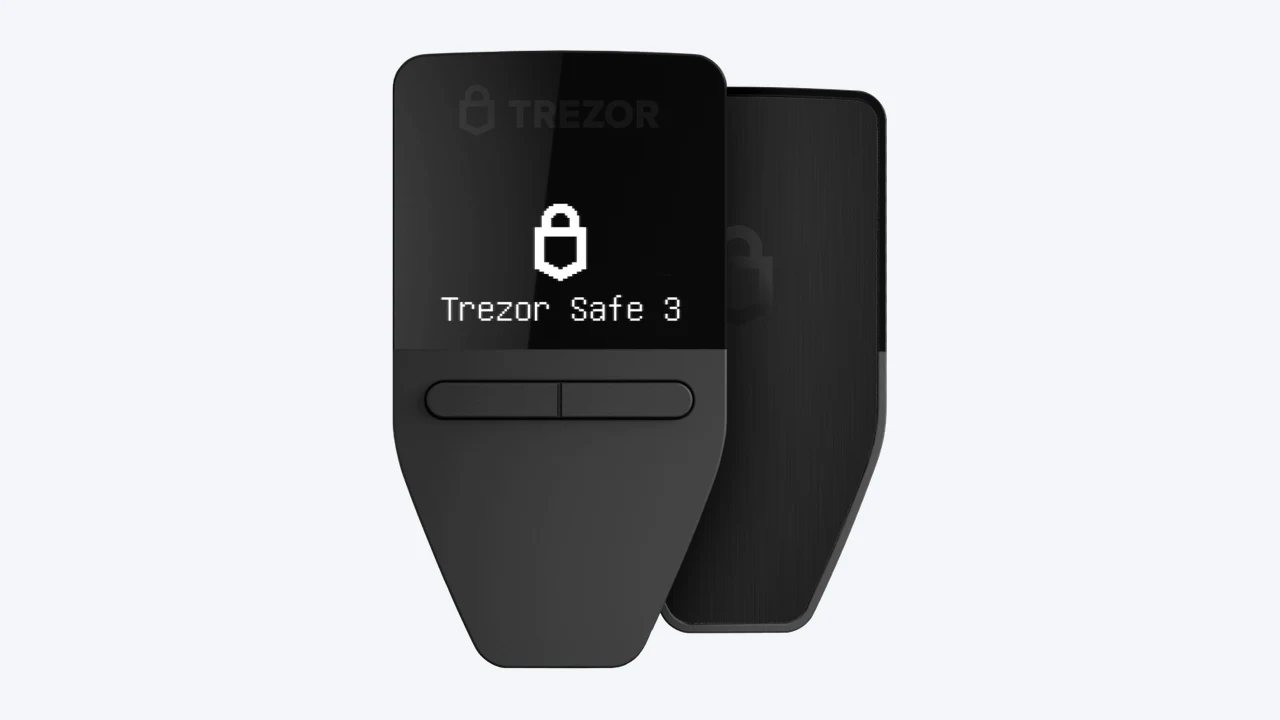

Trezor Safe 3
Best for the lowest-cost device here
- Price
- CA$89
- Screen
- 0.96-inch monochrome, two buttons
- Connects by
- USB-C
Ledger site header, cropped to logo and menu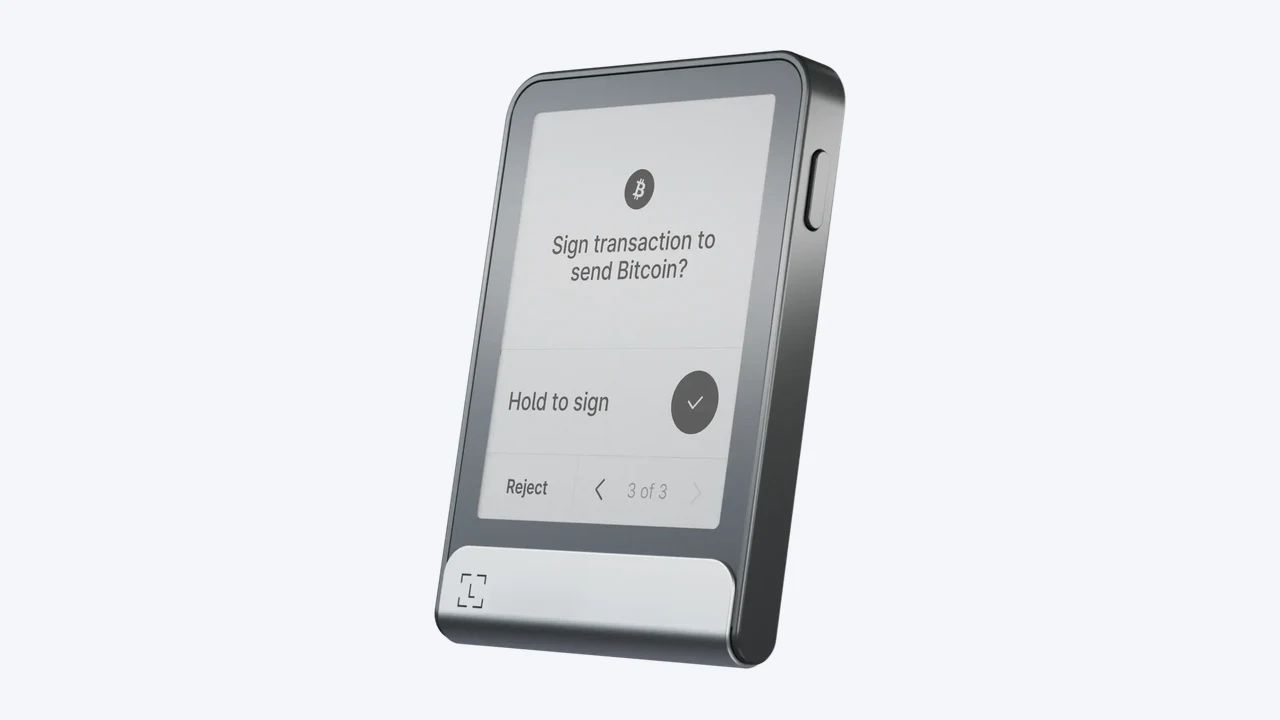
Ledger Flex
Best for a touchscreen with Bluetooth for regular use
- Price
- CA$369
- Screen
- 2.8-inch E Ink touchscreen
- Connects by
- USB-C, Bluetooth, NFC
Trezor site header, cropped to logo and menu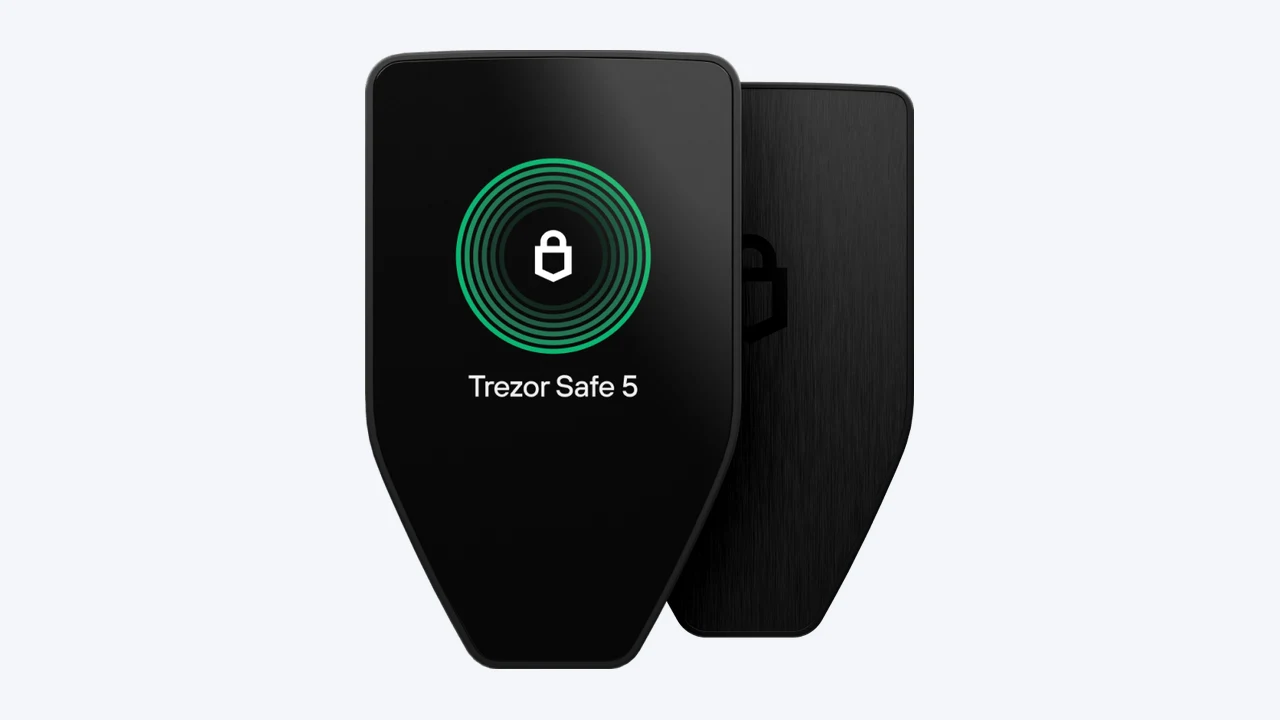
Trezor Safe 5
Best for a colour touchscreen at a mid price
- Price
- CA$199
- Screen
- 1.54-inch colour touchscreen
- Connects by
- USB-C
A hardware wallet is a small device that keeps the keys to your crypto offline. If a registered platform holds your crypto for you, you’re relying on its custodians. If you move it to a hardware wallet, you’re relying on yourself and a recovery phrase. This page compares the two best-known makers, Ledger and Trezor, on what they sell to Canadians, from their own store pages on 10 November 2026.
The short answer
- Cheapest: the Trezor Safe 3 at CA$89 and the Ledger Nano S Plus at CA$99. Both have small screens and plug in by cable.
- Touchscreen on a budget: the Trezor Safe 5 at CA$199.
- Bluetooth for use with a phone: Ledger’s Nano X (CA$149), Nano Gen5, Flex and Stax all list Bluetooth. Of Trezor’s range, only the Safe 7 does.
- Most expensive: the Ledger Stax at CA$599.
- Open-source code: Trezor says all three of its models run open-source code that anyone can review.
Prices are in Canadian dollars as each store showed them for delivery to Canada. Shipping, duties and sales tax at checkout aren’t included.
Ledger: five models
Ledger’s comparison page splits its range into touchscreen “signers for daily use” and classic “signers for backup use”.
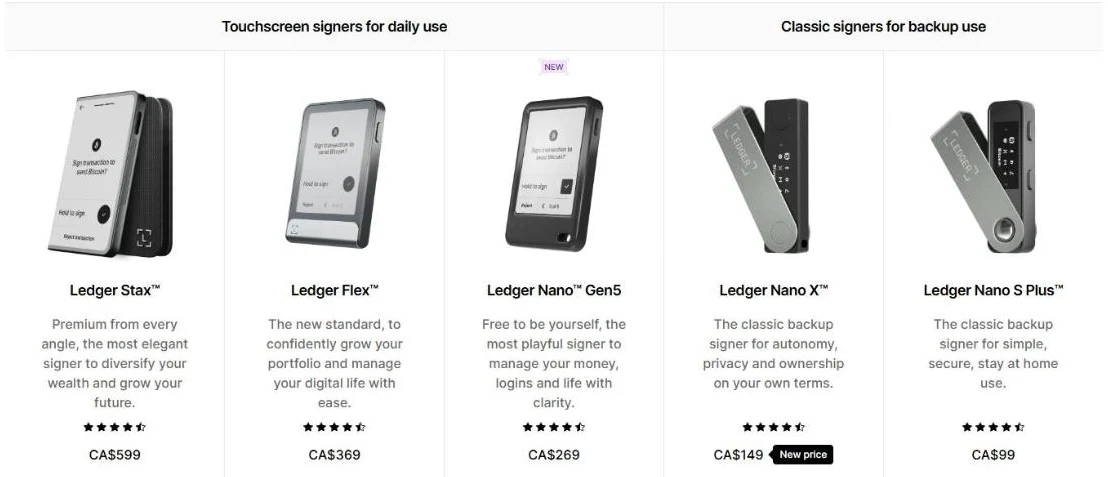
| Model | Price | Screen | Connects by | Battery |
|---|---|---|---|---|
| Ledger Stax | CA$599 | 3.7-inch curved E Ink touchscreen | USB-C, Bluetooth, NFC, wireless charging | Yes |
| Ledger Flex | CA$369 | 2.8-inch E Ink touchscreen | USB-C, Bluetooth, NFC | Yes |
| Ledger Nano Gen5 | CA$269 | 2.8-inch E Ink touchscreen | USB-C, Bluetooth, NFC | Yes |
| Ledger Nano X | CA$149 | 1.1-inch OLED | USB, Bluetooth | Yes, up to 5 hours |
| Ledger Nano S Plus | CA$99 | 1.1-inch OLED | USB | No |
Ledger says every model supports 500+ coins directly in its Ledger Wallet app, and thousands more through other wallet apps. The Stax, Flex and Nano Gen5 come with a Ledger Recovery Key, and every model comes with paper recovery sheets. Ledger also lists Ledger Recover, an optional backup service for your recovery phrase, for every model. Read how it works before you sign up for it, since it means trusting someone other than yourself with your backup.
Trezor: three models
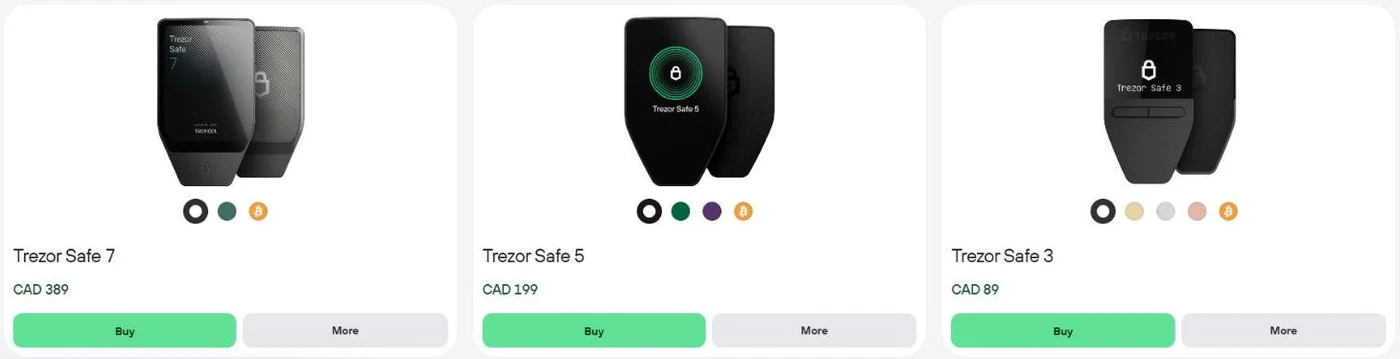
| Model | Price | Screen | Connects by | Battery |
|---|---|---|---|---|
| Trezor Safe 7 | CA$389 | 2.5-inch colour touchscreen | USB-C, Bluetooth, Qi2 wireless charging | Yes |
| Trezor Safe 5 | CA$199 | 1.54-inch colour touchscreen | USB-C | No |
| Trezor Safe 3 | CA$89 | 0.96-inch monochrome, two buttons | USB-C | No |
Trezor says all three use a certified EAL6+ secure element and open-source code, and support PIN protection of up to 50 digits and an optional passphrase. The Safe 7 adds a second security chip, a metal body and IP54 dust and water protection. Trezor lists full iPhone support only for the Safe 7. The Safe 5 and Safe 3 have limited iOS support, for checking balances, buying and receiving, so on an iPhone you’d mainly use them from a computer.
Which to choose
If you’re holding a small amount and keeping it at home, either cheap model does the job: the Trezor Safe 3 or the Ledger Nano S Plus. If you’ll sign transactions often from your phone, you need Bluetooth, which means the Ledger Nano X or above, or the Trezor Safe 7. If you want to see a transaction clearly before you approve it, a bigger screen helps, and both makers sell touchscreen models for that.
Before you move crypto to a hardware wallet
- Check your platform lets you withdraw. Webull doesn’t allow crypto transfers out at all, and Bitbuy and Coinsquare list 29 coins that can’t be withdrawn. Each platform review covers this.
- Expect a network fee to send crypto out. Some platforms add their own withdrawal fee on top.
- Buy from the maker or an authorized reseller, and only set up a device that asks you to create a new recovery phrase. A device that arrives with a phrase already written down isn’t safe to use.
- Your recovery phrase is the wallet. Anyone who has it can take your crypto, and if you lose it and the device, there’s no customer service to call. No genuine company will ever ask you for it.
- CIPF doesn’t apply. Crypto in your own wallet has no investor protection of any kind, and neither does crypto on a platform.
Moving crypto between wallets you own isn’t a sale for tax purposes, according to the Canada Revenue Agency. Our crypto tax guide covers what is.
Frequently asked questions
Do I need a hardware wallet?
Not necessarily. If you hold crypto on a registered platform, it’s held by the platform’s custodians. A hardware wallet puts you in control instead, with the responsibility that comes with it. It suits people who hold crypto for the long term and are confident keeping a recovery phrase safe.
Can I buy a Ledger or Trezor in Canada?
Yes. Both makers’ stores showed Canadian dollar prices for delivery to Canada when we checked.
Ledger or Trezor?
Trezor’s cheapest device costs less than Ledger’s, its Safe 5 is the cheapest touchscreen here, and it runs open-source code. Ledger has more models, a cheaper Bluetooth device in the Nano X, and lists 500+ coins in its own app. Both use certified secure element chips.
Sources
- Ledger, hardware wallet comparison, viewed with Canadian pricing, 10 November 2026
- Trezor, compare Trezor hardware wallets, viewed with delivery set to Canada, 10 November 2026
- Canada Revenue Agency, reporting income from crypto-asset transactions
Update history
- First published.
Found something out of date? Tell us.